Marketing
Discount codes and promotion rules
Codes, automatic discounts and bundles — with the conditions that stop a promotion costing more than it makes.

Capabilities
Running promotions
Codes and automatic discounts
Run a code campaign or apply a discount automatically when the basket qualifies.

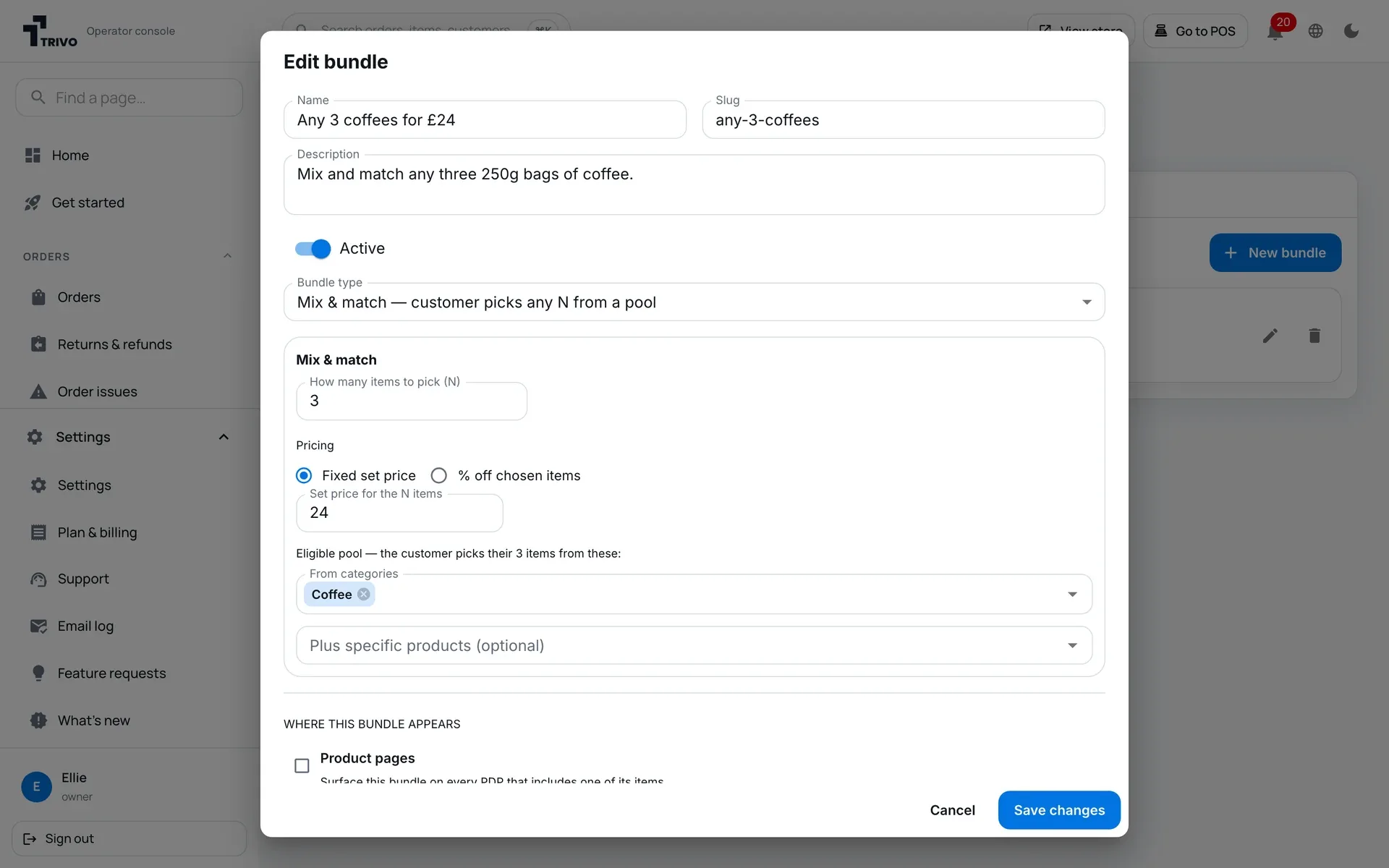
Bundle builder for mix and match
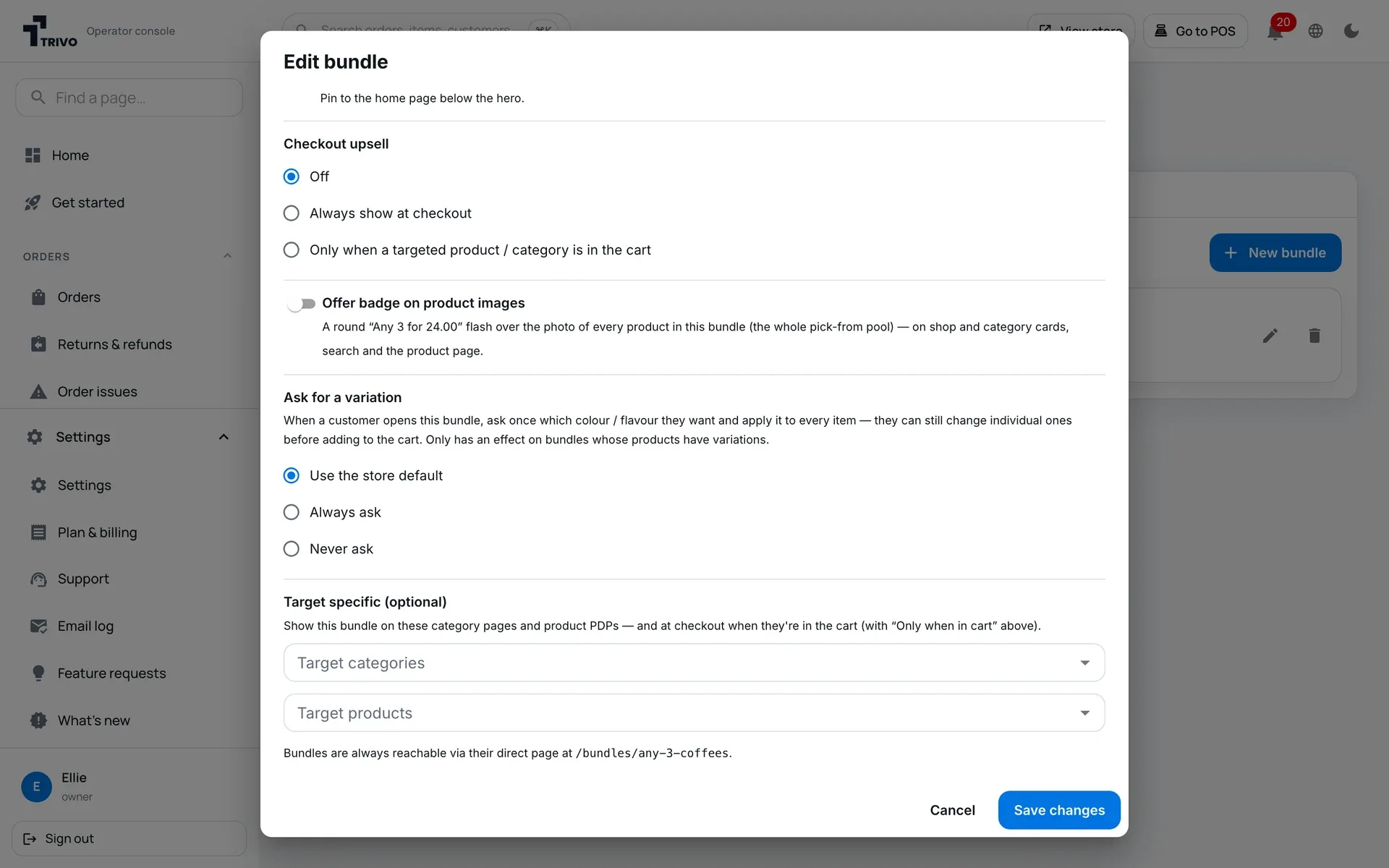
Pick-any-N bundles that can appear on the product page, a category or at checkout — wherever they will actually be seen.
Conditional promotions by product
Minimums, product scope and time limits, so a promotion ends when you said it would.
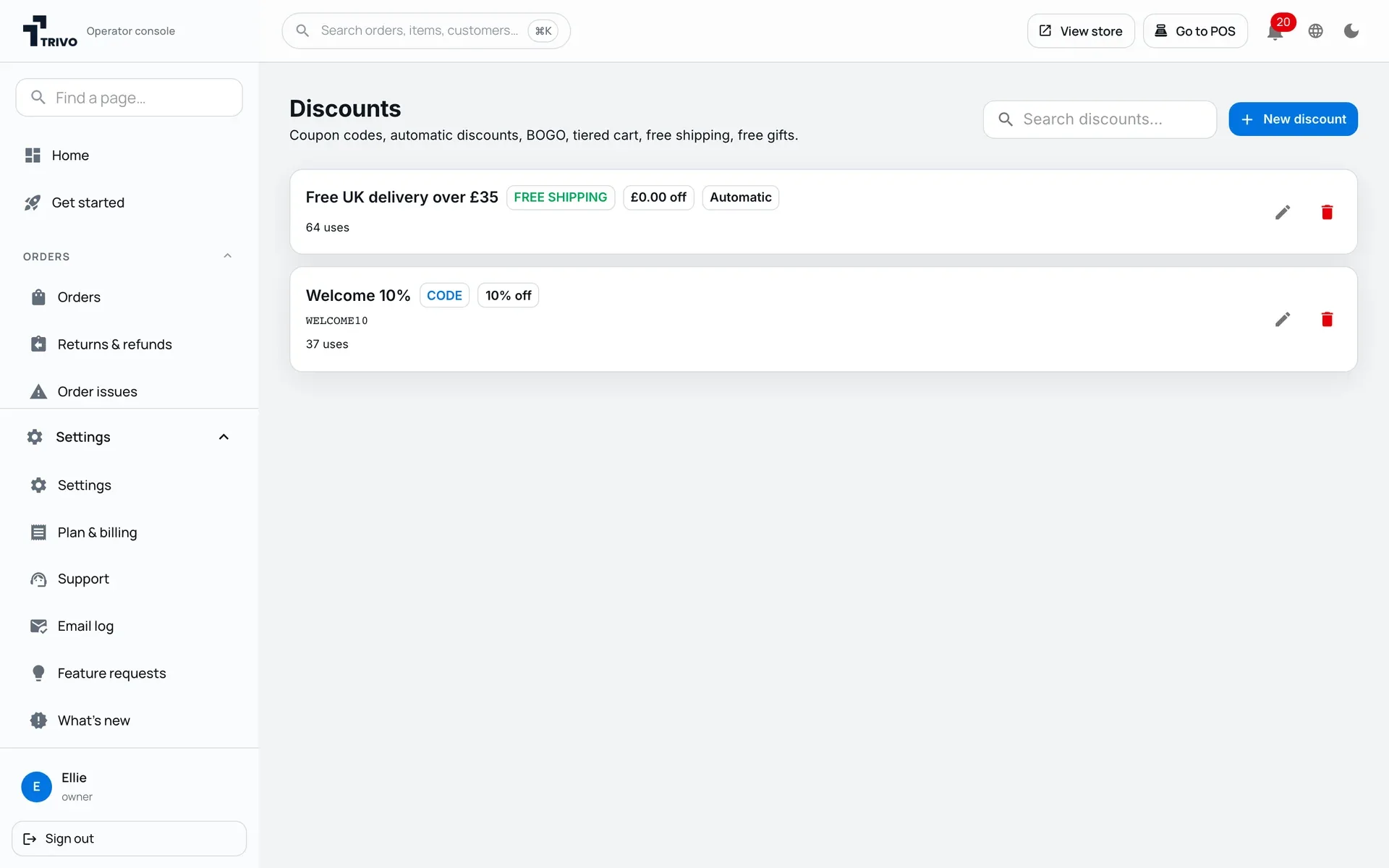
See which codes get used
Every code and automatic discount shows how many times it has been used, so you can see what is working and switch off what is not.
Getting started
Up and running
01
Create the promotion
Code or automatic.
02
Set the rules
Scope, minimums and dates.
03
Watch the result
Reporting against paid orders.
Works with
Better together
Loyalty & rewards
Points alongside discounts.
Email campaigns
Announcing the offer.
Checkout
Where the discount applies.
FAQ
Questions
Can I stack discounts?
Scope and conditions control what can combine.
Do promotions expire automatically?
Yes, when you set an end date.
Run a promotion that pays
14-day free trial on most plans · No setup fees · Cancel anytime